
About SIMBANK
Introduction:
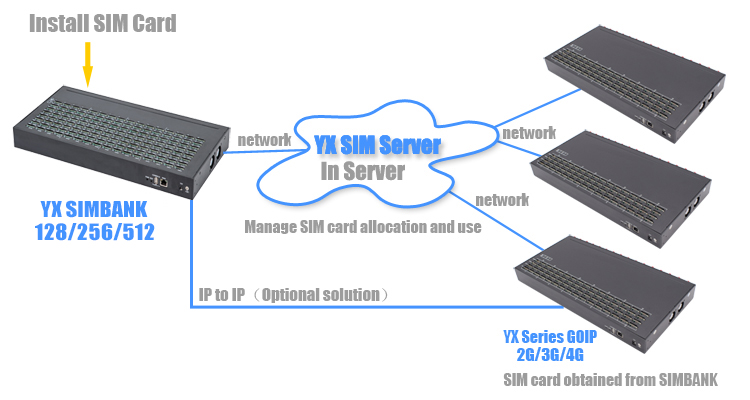
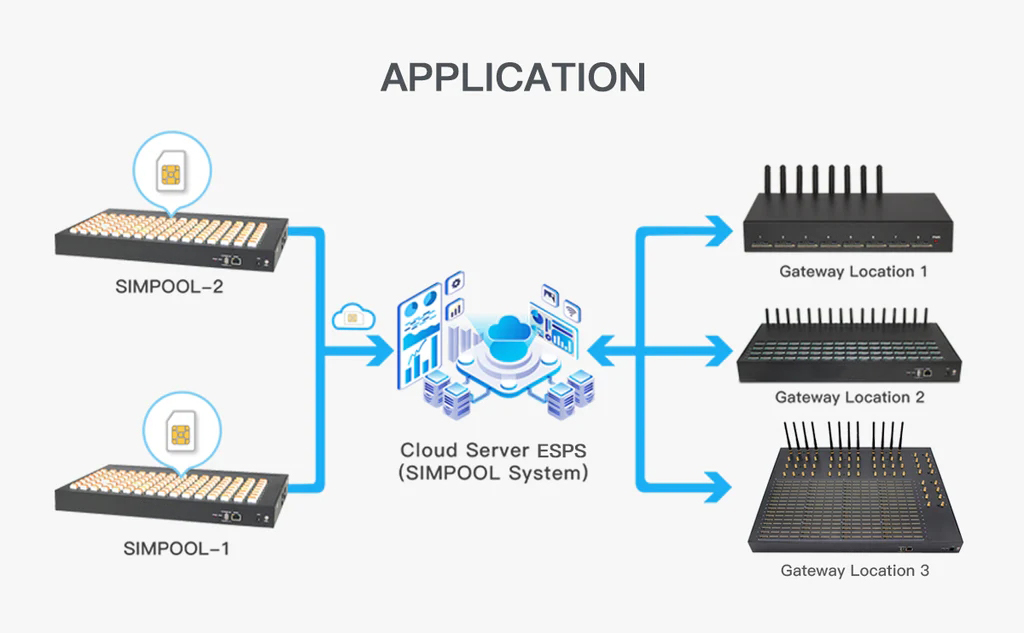
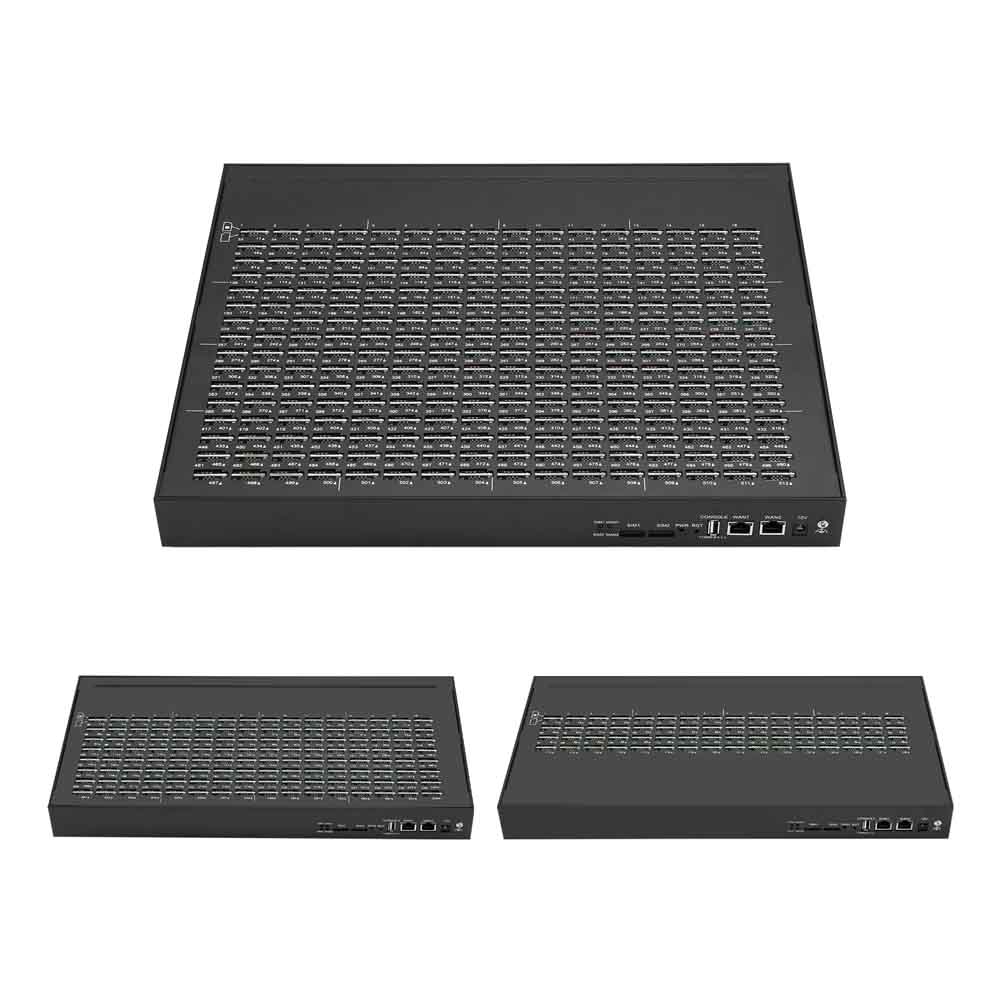
Simbank128/256/512 is an equipment which can integrated storage SIM cards.The maximum capacity is 128/256/512.It can be perfectly with YX GOIP and MOIP series gateways.With SIM server,Simbank can easily communicate with gateways via IP network. In this way,we can manage the SIM cards remotely.
Special Features:
- 128/256/512 Channels Optional
- Web GUI:Firefox/Chrome/IE/Opera
- NAT Traversal and Firewall
- Hot Swap of SIM Cards without Powering Off
- QoS support
- Remote Manage of SIM Cards
- Multi-language Support:Chinese and English
- Dynamic Allocation of SIM Cards
- Protect SIM Cards from Blocking
- HTTP/TFTP Upgrade
Hardware Features:
| Model | Simbank 128/256/512 |
| Number of sim | 128/256/512 |
|
Network Protocols |
DHCP/PPPoE/VPN(pptp) NTP Telnet/HTTP/FTP/TFTP |
| Number of Ports |
1 WAN 10/100Base-T ethernet(RJ-45 connector) |
|
LEDs |
1 Power and 128/256/512 grops of card online and running status indicator |
|
Power Supply |
100-240V AC, 50 - 60 Hz IN, 12V/3A OUT |
|
Operating Environment |
Operating temperature: 0 - 50ºC Operating humidity: 10 – 90%RH |
|
Dimension (LxWxH) |
530*305*90mm |
|
Weight |
4kg |
|
Warranty |
12 Months |

System configure
1. Working mode
Simbank has two working mode: one is point to point, in this way,
Simbank communicate with gateway without server;The other
mode is registration, and need a server support it .
(1) Point to Point
(2) registration(SIM Server)

2.Device Setup
When setup the device, please follow the steps below:
1.Power:Connect the small end of the power cable to the power input port
on the Simbank back panel, and plug the other end of the cable
into a 220V AC power outlet.
2.WAN:Connect the Ethernet cable with the Simbank wan port, the other
side connect with the switch or router.
3.CONSLOE:USB port configuration
4.RESET:Press this button more than 7S


