Table of Contents
1. What is YX GOIP Gateway?
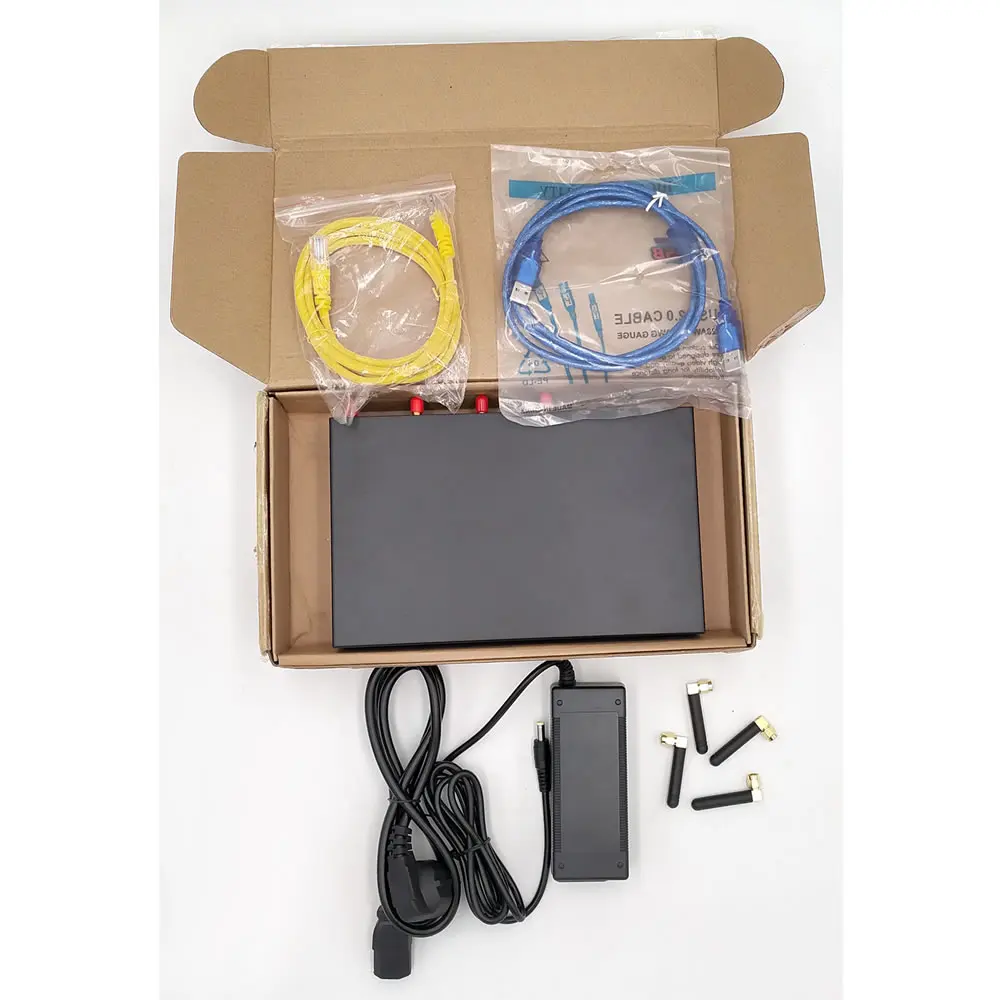
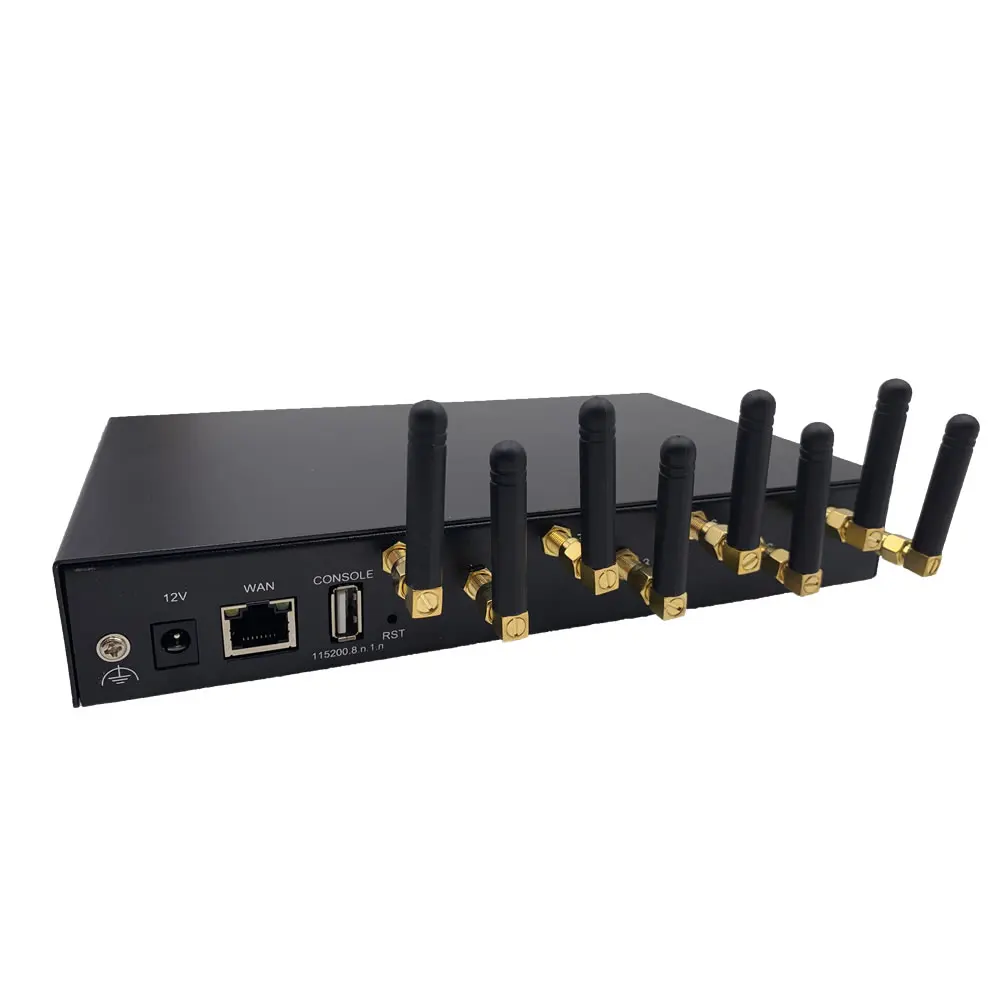
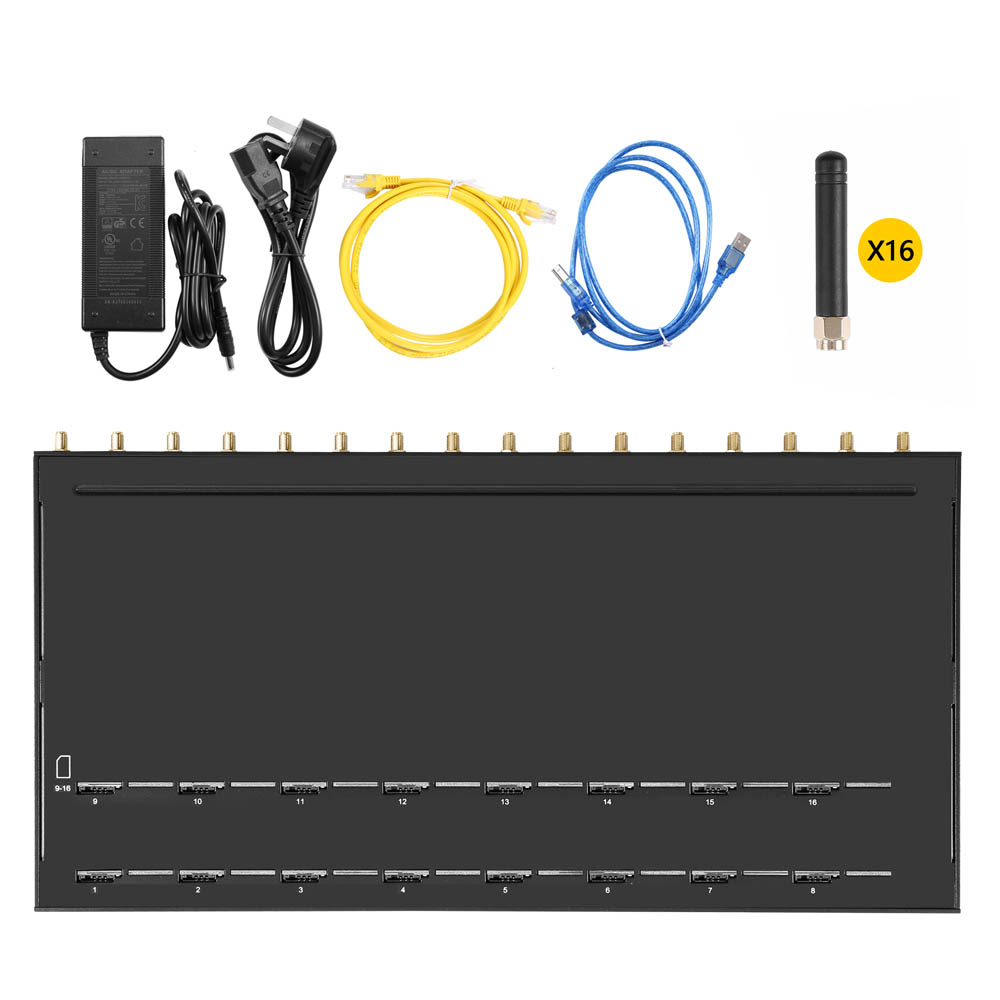
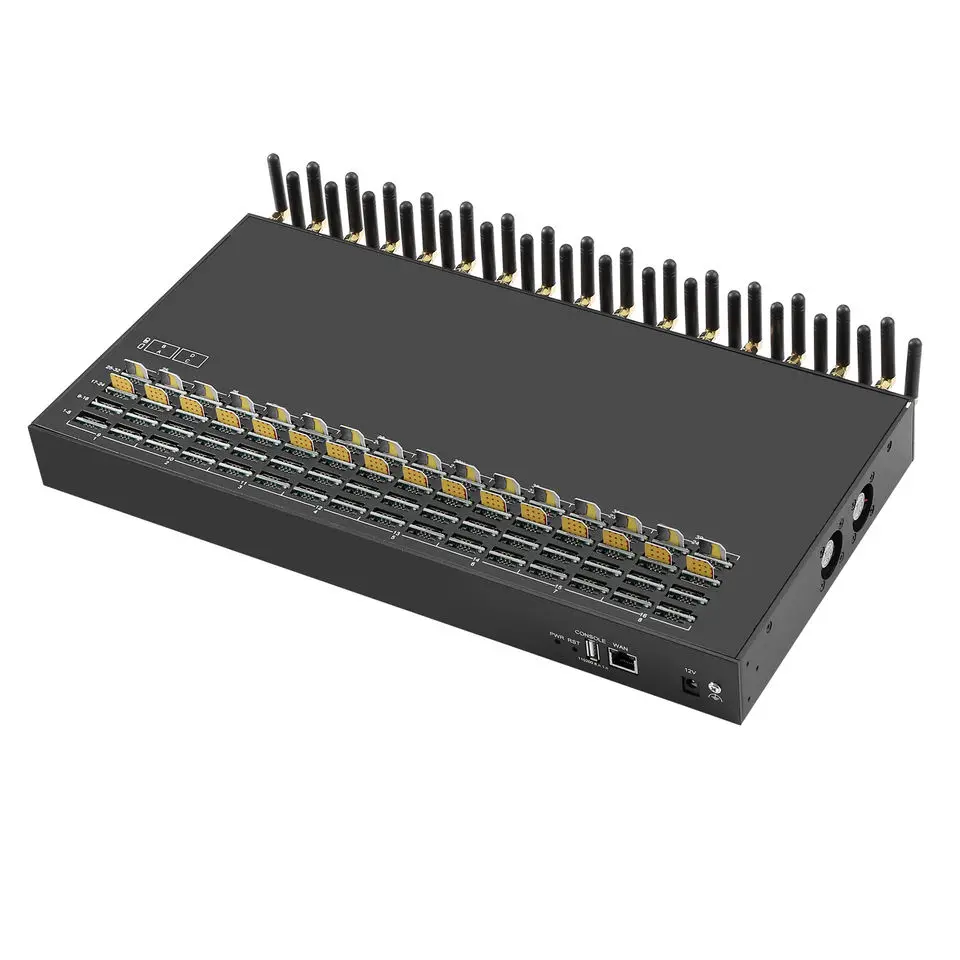
YX GOIP Gateway (VoIP GSM Gateway) is a hardware device that connects IP, digital, analog, and mobile networks seamlessly . It converts IP telephone signals to GSM signals and vice versa, helping businesses cut costs on calls from fixed lines to mobile networks . For areas where fixed-line services are unavailable or too expensive, it becomes an irreplaceable communication tool.
Telephone carriers now widely use YX Gateway to "land" IP calls to mobile networks—relaying media streams between IP and mobile networks efficiently .
2. Key Advantages of YX VoIP Gateway
- Cost Reduction: Slashes call costs between fixed and mobile networks, especially for long-distance communications .
- Multi-Network Compatibility: Directly routes data across IP, digital, analog, and mobile networks without extra equipment.
- Flexible Deployment: Works in LAN (with Softswitch server) or public network (via public IP) .
- No Fixed-Line Dependence: Ideal for remote areas where fixed-line services are poor or costly.
- Easy Management: Web-based remote control and configuration backup save maintenance time .
3. Core Features of YX GOIP GatewayYX Gateway is packed with practical functions for business needs:
- SMS Functions: Send, receive, forward SMS via GSM/SIP/HTTP; built-in SMS inbox .
- Message Formats: Supports PDU and TXT; compatible with SMPP protocol and HTTP commands.
- Call Management: Carrier selection, caller ID hiding (SIM-supported), CDMA delay answer, and GSM polarity reversal.
- Device Control: AT Command, USSD support, PIN code management, and USB Serial COM.
- Maintenance Tools: Configuration backup/restore, HTTP/TFTP upgrade, and multi-language interface.
- Call Analytics: Tracks ASR (Answer Seizure Ratio), ACD (Average Call Duration), and PDD (Post Dial Delay) .
4. How to Set Up & Log In to YX Gateway
- Step 1: Basic Connection
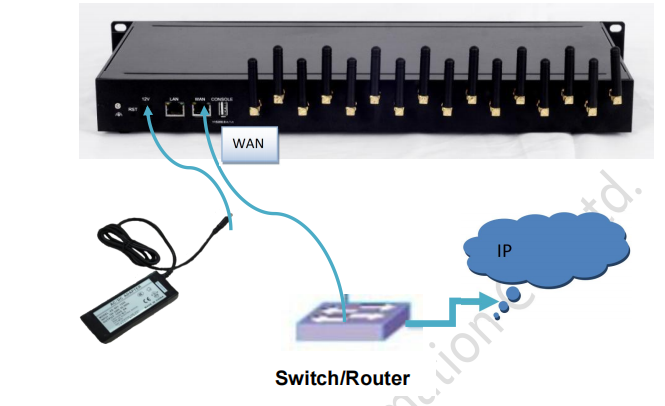
Connect the gateway’s WAN port to a switch or router. Ensure your computer is on the same LAN .
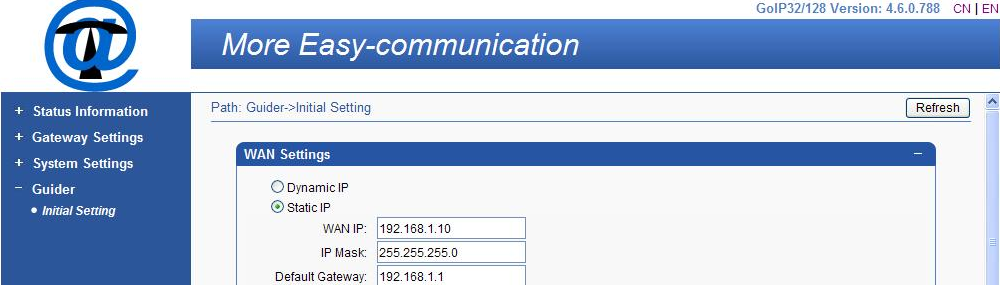
- Step 2: WAN Configuration (3 Options)
- Static IP: Manually set WAN IP, subnet mask, default gateway, and DNS.
- Dynamic IP: Get network settings automatically from your DHCP server.
- PPPoE: Enter ISP-provided username/password; optional MTU and service name settings.
- Step 3: Log In to Web Management
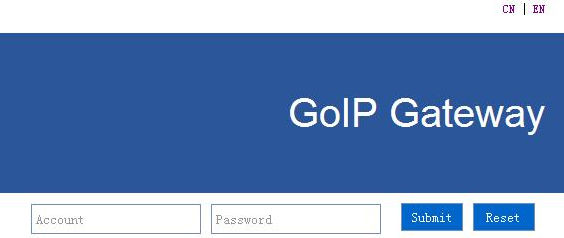
- Set your computer to the same IP segment as the gateway.
- Enter your account and password to access the control panel.
- Step 4: SIP Server Settings
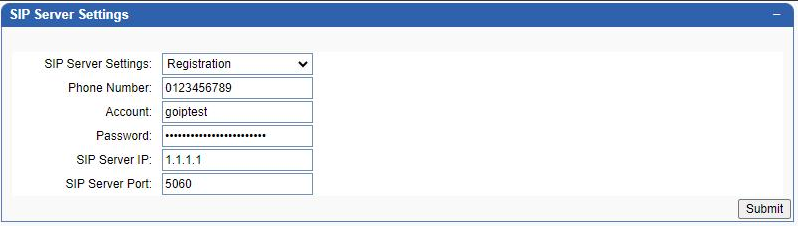
For IP network communication, configure these fields:
Working Mode: Choose "Registration" (sends registration to SIP server) or "Point-to-Point".
Server Details: Enter SIP server IP, port, phone number (callable SIP port), account, and password .
Note: Phone number, account, and password apply to all SIP ports.
5. Typical Use ScenariosScenario 1: Landing from IP to Mobile Network
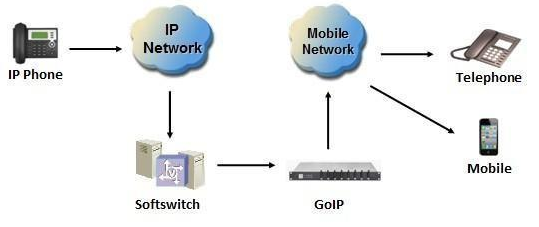
GP Gateway is now used more and more for telephone carriers to land their IP calls to mobile network. It plays the role of converting IP telephone signal to GSM telephone signal, relaying the media stream between IP network and Mobile network. GP Gateway can be placed either in the LAN of Softswitch server or in public network environment which can be accessed by Softswitch server through public IP in different physical location.
Scenario 2: Calls Access from Mobile Network to IP
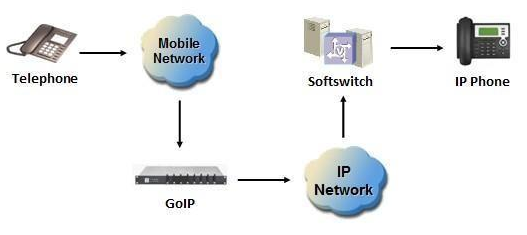
GP Gateway can be used as the access from mobile network to IP. Any call made to the mobile card inserted into GP Gateway will be routed to IP network and connected to Softswitch server. The Softswitch server can redirect the caller to final destination user.
Scenario 3: SMS/MMS & Email Access from Mobile Network to IP
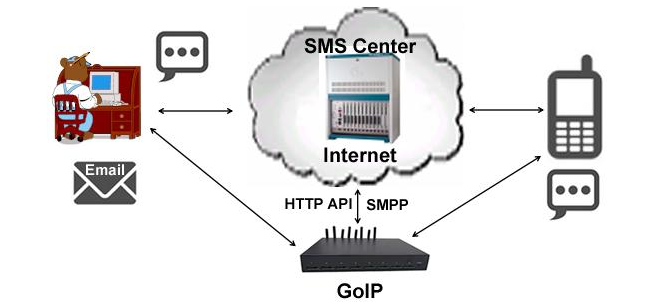
GP Gateway can be used as the access from mobile network to IP, can send and receive SMS/MMS & Email. Any Send SMS made to the mobile card inserted into GP Gateway will be routed to IP network and connected to SMS platform server. The SMS platform server can redirect the Send SMS to final destination user.
6. Why Choose YX VoIP Gateway Now?
YX GOIP Gateway combines cost-saving, flexibility, and reliability—perfect for telecom carriers, call centers, and businesses in remote areas. It’s easy to set up, requires minimal maintenance, and supports scalable communication needs .
24/7 technical support available for setup help.


