Table of Contents
1. What is YX Simbank?
YX Simbank is a professional device for remote SIM card management. It is designed to work with YX GOIP and MOIP series gateways. The core function is simple: put all your SIM cards into the Simbank, and then your GOIP/MOIP devices can use these SIM cards remotely via IP network.
It’s important to note that YX Simbank has no function of sending messages or making calls. It cannot be used independently—it only provides remote SIM card support for GOIP/MOIP devices. In short, putting a SIM card in Simbank is the same as putting it directly in GOIP/MOIP.
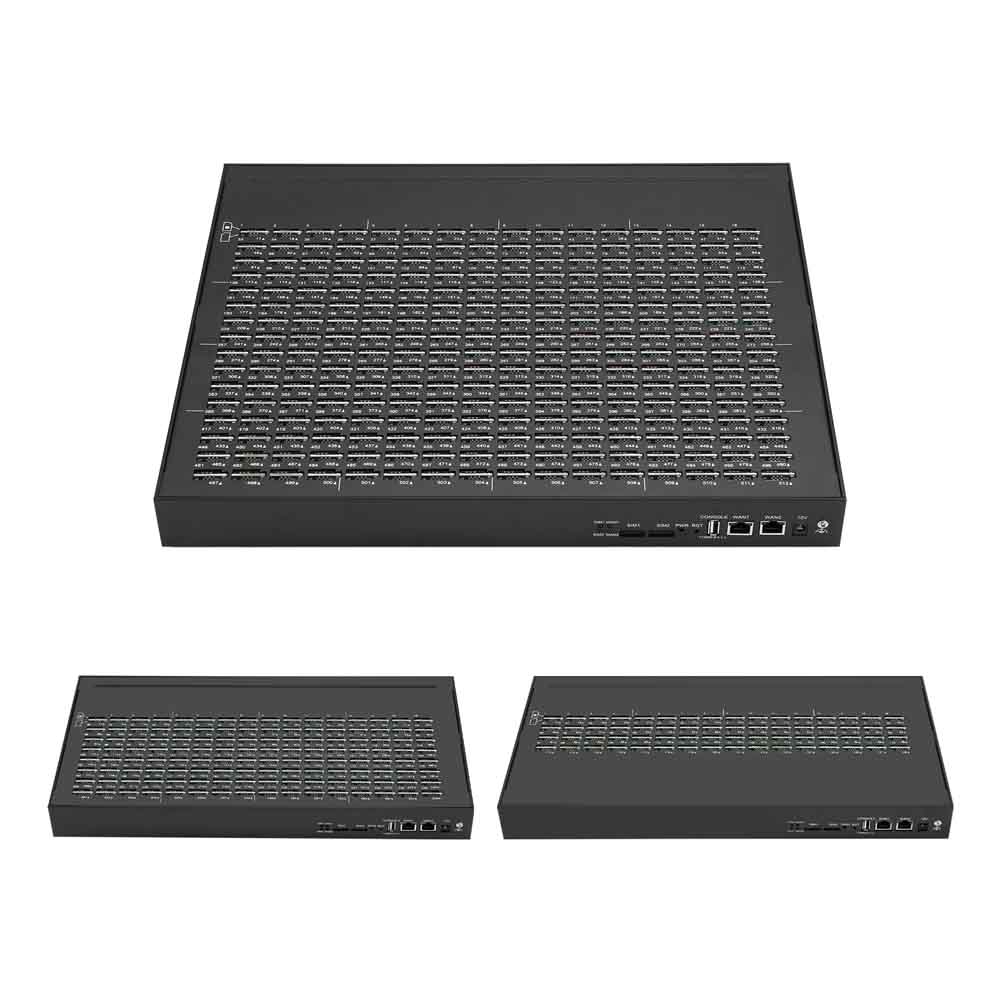
We offer three models: YX Simbank128 (128 SIM slots), YX Simbank256 (256 SIM slots), and YX Simbank512 (512 SIM slots). Each slot corresponds to a port of GOIP/MOIP for one-to-one remote SIM supply.
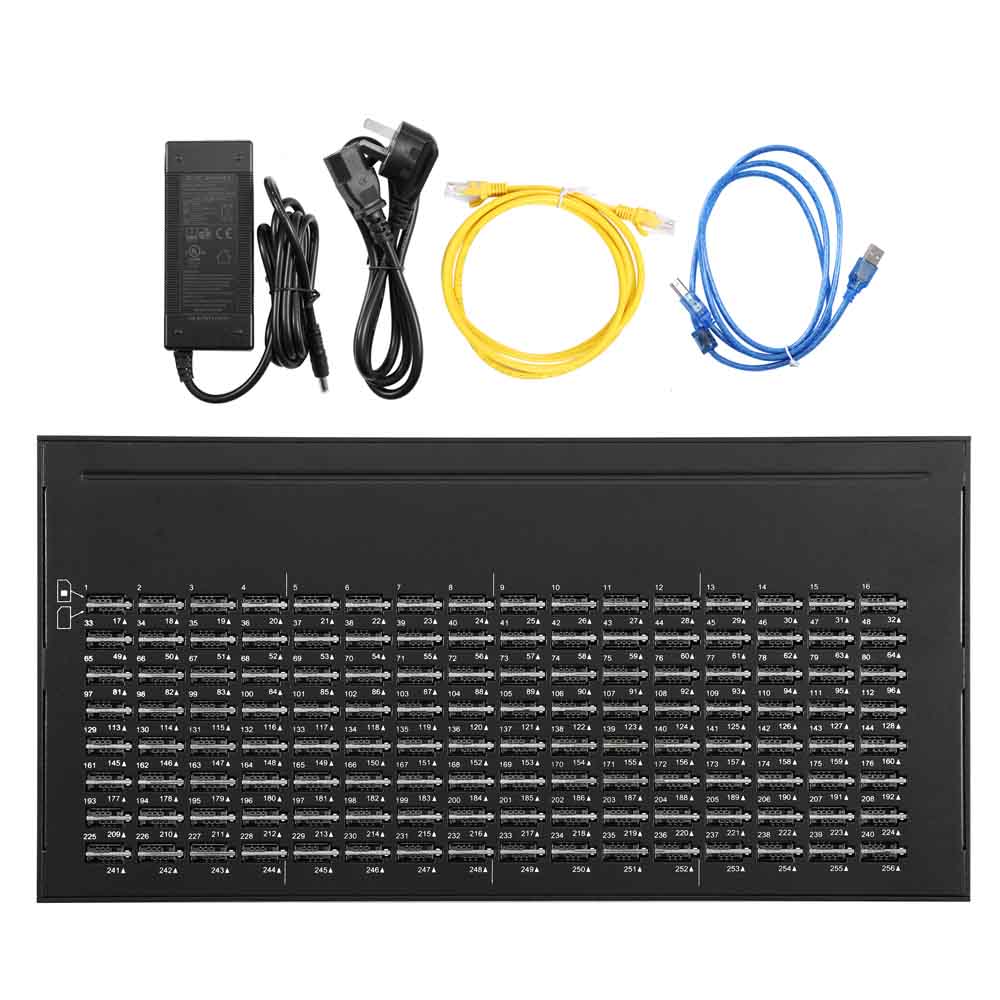
2. Key Advantages of YX Simbank
-
Multiple Capacity Options: Choose 128/256/512 slots based on your number of GOIP/MOIP devices. It meets both small and large-scale business needs.
-
Remote Management: Manage all SIM cards from a distance via IP network. No need to go to the site where GOIP/MOIP is located—save time and labor costs.
-
Hot Swap Support: Replace SIM cards without powering off the device. Ensure your business runs continuously without interruption.
-
SIM Card Protection: With built-in functions to protect SIM cards from blocking. Extend the service life of your SIM cards and reduce replacement costs.
-
Easy Web GUI: Operate via Firefox, Chrome, IE, or Opera browsers. The interface supports Chinese and English—simple for users worldwide.
-
Dynamic Allocation: Assign SIM cards to different GOIP/MOIP devices as needed. Improve the utilization rate of SIM cards.
-
Network Compatibility: Supports DHCP, PPPoE, VPN (PPTP), NTP, Telnet, HTTP, FTP, and TFTP protocols. Works smoothly with most network environments.
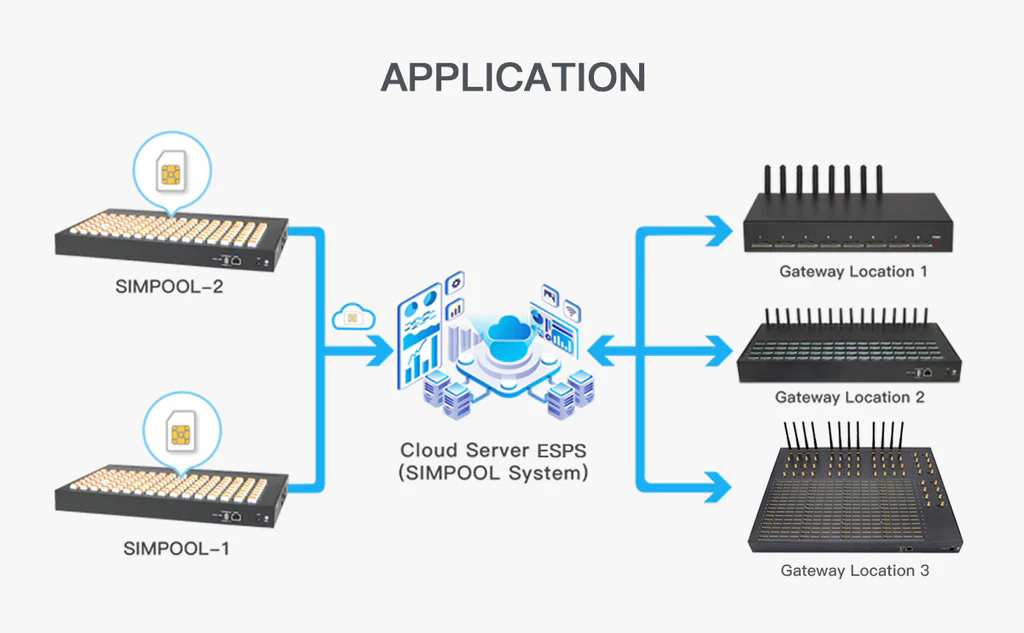
3. Main Uses – How It Works with GOIP/MOIP
YX Simbank's core use is to provide remote SIM card supply for YX GOIP and MOIP gateways. It eliminates the need to insert SIM cards directly into each GOIP/MOIP device, realizing centralized and remote management of SIM resources.
The working principle is straightforward: All SIM cards are installed in YX Simbank first. Through IP network connection (with or without SIM Server), GOIP/MOIP devices can remotely access and use these SIM cards. In other words, a SIM card in Simbank is equivalent to being inserted directly into GOIP/MOIP.
Here’s the clear workflow:
-
Insert all required SIM cards into YX Simbank's slots (128/256/512 slots for different models).
-
Connect Simbank to the same network as GOIP/MOIP devices (configure via WAN settings).
-
Set up working mode (Point-to-Point or Registration Mode) to link Simbank with GOIP/MOIP.
-
GOIP/MOIP can now access the remote SIM cards in Simbank to complete registration, calls, or messages.
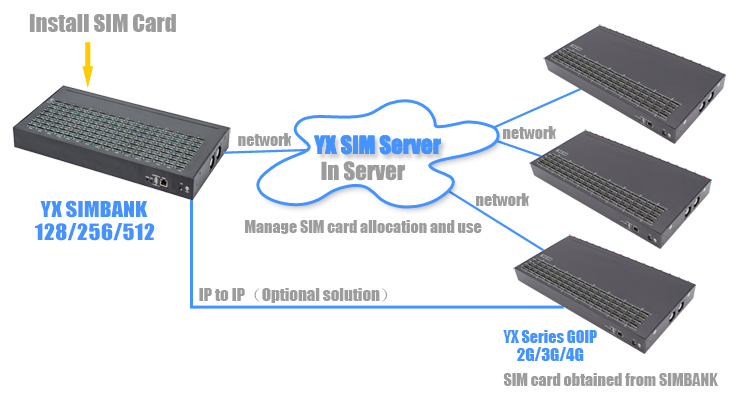
4. Step-by-Step Setup & Operation Guide
4.1 Preparation
You need: YX Simbank device, power cable, Ethernet cable, GOIP/MOIP devices, SIM Server (if you don’t have one, you can rent it; it requires Centos5.X or 6.X system).
4.2 Device Setup
-
Power Connection: Connect the small end of the power cable to the power input port on Simbank’s back panel. Plug the other end into a 100-240V AC power outlet (50-60Hz).
-
WAN Connection: Connect one end of the Ethernet cable to Simbank’s WAN port (10/100Base-T Ethernet, RJ-45 connector). Connect the other end to a switch or router.
-
Console Configuration (Optional): Use a USB cable to connect Simbank’s Console port to a computer for advanced configuration if needed.
-
Reset (If Needed): Press the Reset button for more than 7 seconds to restore factory settings. The reset IP is 192.168.1.67.
4.3 Login & Basic Settings
-
Login: Make sure your computer is on the same local network as Simbank. Open a web browser and enter Simbank’s IP address. For the first login, use the default settings: Username = root, Password = root. (Factory IP uses DHCP; if reset, use 192.168.1.67.)
-
WAN Settings: Set the WAN type (static IP, dynamic IP, or PPPoE; default is static IP). Enter IP address, IP mask, default gateway, and DNS server as required.
-
ESP Settings (Key Step): This is to connect Simbank with GOIP/MOIP. There are two working modes: Point-to-Point Mode: Simbank communicates directly with GOIP/MOIP without a server. Disable the "Registration" button in the settings.
-
Registration Mode (Recommended): Simbank registers on SIM Server and communicates with GOIP/MOIP via the server. Enable the "Registration" button, then enter SIM Server address, GOIP account (created on SIM Server), and password. The "Status" will show "OK" if registered successfully.
-
Save & Reboot: After making settings, click "Save" to save changes. Click "Reboot" to make the settings take effect (some changes require reboot).
4.4 Advanced Settings
You can configure VPN settings in the "Advanced Settings" menu for more secure network communication. Use "System Mgmt" to manage users, devices, files, and update the system. Use "Debugging Tools" to test the network and check logs if there are issues.

5. Application Scenarios – Who Needs It
YX Simbank is widely used in businesses that use GOIP/MOIP devices. Here are the main application scenarios:
-
Cross-Border Call Centers: If your call center uses multiple GOIP/MOIP devices in different regions, Simbank allows you to manage all SIM cards in one place remotely. No need to send staff to each site.
-
IoT Device Management: For IoT projects that use GOIP/MOIP for data transmission (such as smart meters, remote monitors), Simbank provides centralized SIM management, reducing maintenance costs.
-
Remote Office & Branch Operations: If your company has branches with GOIP/MOIP devices, Simbank enables headquarters to control all SIM resources, ensuring consistent service quality.
-
High-Volume SIM Usage Businesses: Businesses that need to use hundreds of SIM cards (such as marketing companies, customer service centers) can use Simbank512 to manage them efficiently.
6. Get Your YX Simbank Today
YX Simbank helps you save time on SIM management, protect your SIM cards, and improve business efficiency. It’s 100% compatible with YX GOIP and MOIP series gateways. We provide a 12-month warranty and professional technical support.
Click the link below to choose the model that fits your business.
Have questions? Contact our 24/7 customer service via email or live chat.
7. FAQ – Solve Your Doubts Quickly
Q1: Can YX Simbank work without GOIP/MOIP?
A1: No. Simbank has no independent call or message function. It only works with GOIP/MOIP devices.
Q2: Do I must have a SIM Server?
A2: It’s recommended but not mandatory. You can use point-to-point mode without a server for small-scale use. For large-scale or remote management, SIM Server is necessary.
Q3: What’s the operating environment for Simbank?
A3: Operating temperature: 0-50℃; operating humidity: 10-90%RH. It can work in most indoor environments.
Q4: Can I replace SIM cards while Simbank is running?
A4: Yes. Simbank supports hot swap—you can replace SIM cards without powering off the device.


