- What is YX MoIP Gateway?
- Core Features for SMS Management
- Step-by-Step Guide to Using SMS Functions
- Key Advantages of YX MoIP Gateway
- Typical Use Scenarios
- Basic Technical Specifications
- Explore More Functions
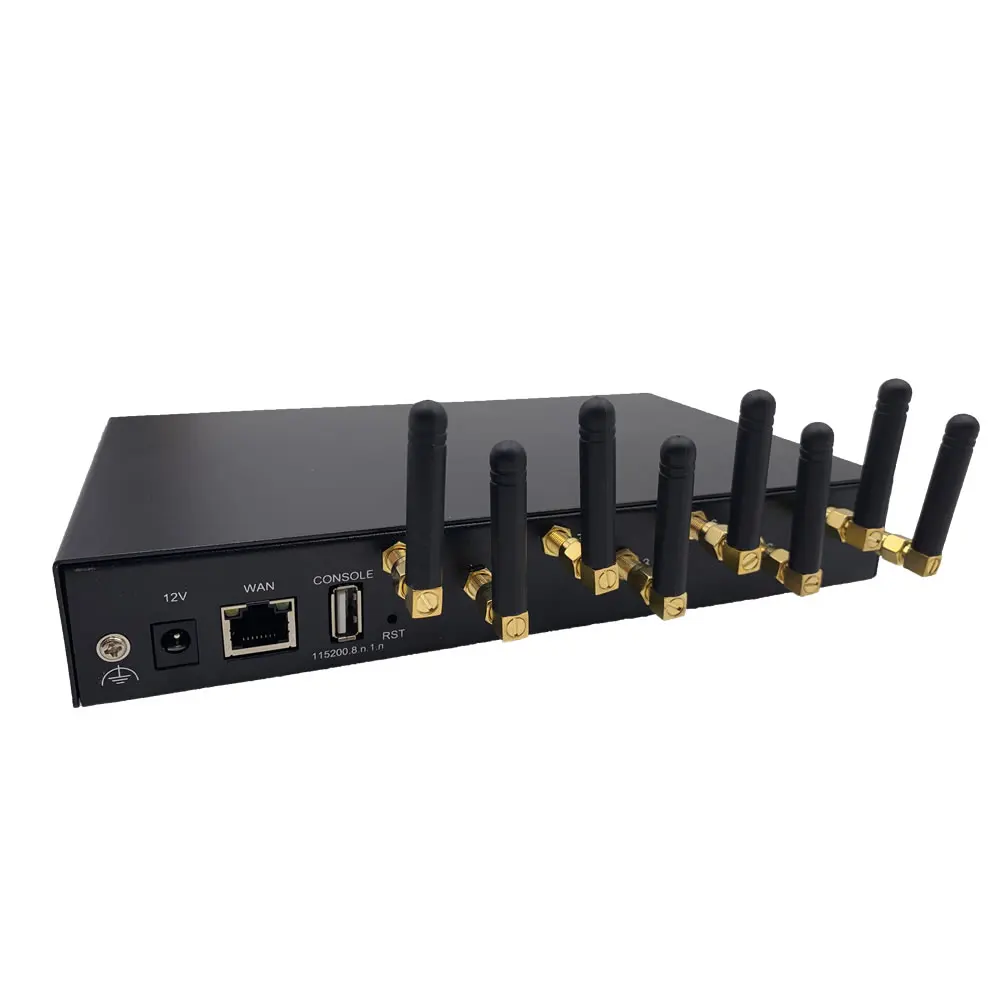
YX MoIP Gateway is a multi-network SMS gateway that works with GSM, CDMA, WCDMA, and 4G (LTE) networks. It connects IP networks to mobile networks, helping businesses send/receive SMS at lower costs. Ideal for cross-border communication, it supports bulk messaging, automation, and remote management—perfect for small to large enterprises needing reliable SMS solutions.
Focus on the SMS-related functions that matter most for your business:
- Send, receive, and forward SMS (supports TXT/PDU formats)
- Bulk SMS sending to multiple recipients
- Scheduled SMS (set time to send automatically)
- SMS forwarding to HTTP servers, emails, or mobile phones
- SIM card rotation and status monitoring
- USSD balance checks and SMS usage statistics
- Spam SMS filtering (block by number prefix or sensitive words)
- API support (HTTP GET/POST) for integration with your systems
- Connect your computer to the same network as the MoIP Gateway.
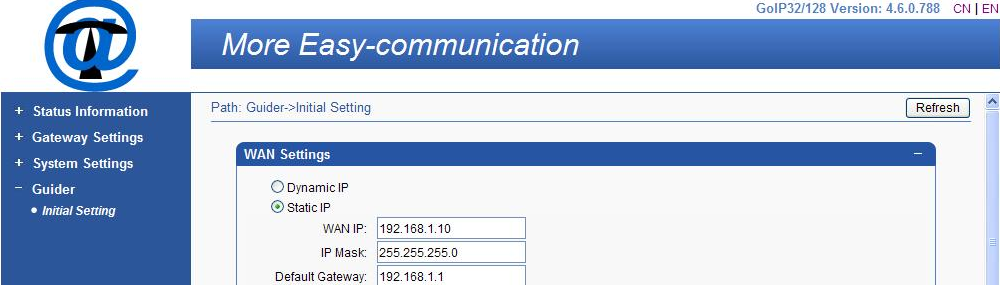
- Set your computer’s IP to the same segment as the gateway (default gateway IP: 192.168.1.10).
- Open a browser (Firefox/Chrome/IE/Opera) and visit
http://192.168.1.10.
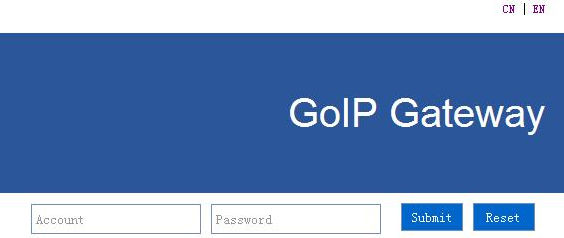
- Login with default credentials.
Before sending SMS, enable the SMS function for your desired ports:
- After login, go to SMS Setting > Port Setting.
- Select the ports you want to use (e.g., Port 1-8) and check "Enabled".
- Optional: Enter the SMS Center Number (provided by your mobile carrier).
- Click "Submit" to save settings.
Send SMS to one or multiple recipients quickly:
- Go to SMS Setting > Send SMS.
- Select ports (check "All" to use all enabled ports or pick specific ones).
- In "Receiver List", enter phone numbers separated by semicolons (e.g., +123456789; +987654321).
- Type your SMS content (max 300 ASCII characters).
- Click "Send"—you’ll see real-time stats (Successful SMS/Failed SMS) on the page.
Set SMS to send at a specific time or based on conditions:
- Go to SMS Setting > Scheduled Sending.
- Enter SMS content and recipients (separated by semicolons).
- Choose a trigger:
- By Duration: Set minimum/maximum minutes (e.g., 60-1440 minutes = send within 1-24 hours).
- By Conditions: Trigger when there are consecutive failed calls or specific call durations.
- Check "Send To Local SIM" if you want to send SMS to other SIMs in the gateway.
- Click "Submit" to save the schedule.
Forward received SMS to other platforms for easy management:
- Go to SMS Setting > SMS Forward > SMS to HTTP.
- Select forward protocol (HTTP-POST/HTTP-GET).
- Enter your server URL (e.g.,
https://your-server.com/sms-receive).
- Set parameters (username, password, sender, receiver, charset = UTF-8).
- Click "Submit".
- Go to SMS Setting > SMS Forward > Email to messages.
- Enable "Email to messages".
- Enter your email account and password.
- Set "Mail Sending Interval" (e.g., 15 minutes).
- Click "Submit"—received SMS will be sent to your email.
- Go to SMS Setting > SMS Forward > Basic Settings.
- Select forward protocol "GSM".
- Enter the target phone number (Forward Number) and SMS Center Number.
- Click "Submit".
View, refresh, or delete received SMS:
- Go to SMS Setting > SMS Inbox.
- See all received SMS with details: Port, Sender, Time, Content.
- Click "Details" to view full SMS content.
- Use "Refresh", "Delete" or "Clear" to manage messages.
- Multi-Network Support: Works with GSM/CDMA/WCDMA/4G—no need for multiple devices.
- High SIM Capacity: Supports up to 512 SIM cards (model-dependent) for bulk messaging.
- Automation: Scheduled SMS, auto-SIM rotation, and balance checks save time.
- Easy Web Management: All functions are accessible via a user-friendly web interface—no technical expertise needed.
- Cost-Saving: Direct IP-to-mobile routing reduces SMS costs, especially for cross-border use.
- API Integration: HTTP GET/POST APIs let you connect the gateway to your CRM or business systems.
- Reliable Monitoring: Track SMS status (sent, failed, received) and SIM performance in real time.
- Cross-Border Business Notifications: Send order confirmations, shipping updates to international customers.
- Bulk Marketing SMS: Promote products/services to a large audience at low cost.
- Customer Support: Automate responses to common queries (e.g., balance checks, FAQs).
- Remote Team Communication: Send alerts or updates to teams in different regions.
- SIM Card Management: Rotate SIMs automatically to avoid carrier restrictions.
Want to learn about advanced features? Check our detailed guides:
- USSD Setting & Balance Checks
- SIM Pool Management (Cross-Country SIM Use)
- HTTP API Integration for Custom Workflows
- System Backup & Firmware Update
YX MoIP Gateway simplifies SMS communication for businesses of all sizes. Start reducing costs and improving efficiency today—browse our product models or contact our support team!